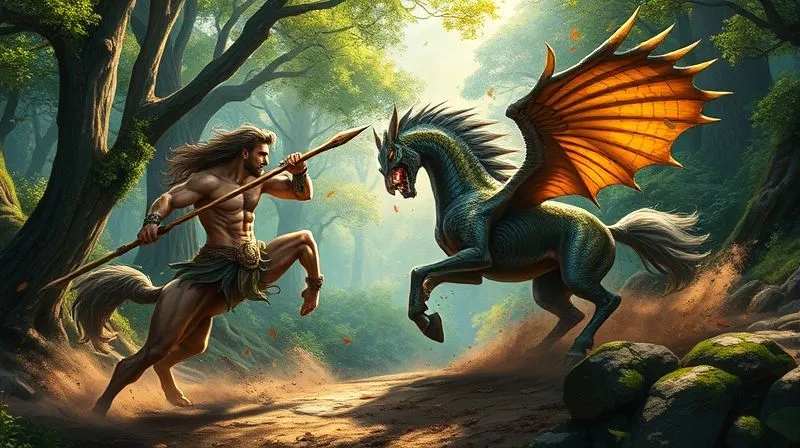
在编程的世界里,游戏开发是一项既有趣又富有挑战性的任务。Python作为一种简洁易读的编程语言,非常适合用于开发各种类型的小游戏。本文ZHANID工具网将通过一个示例代码,详细解析如何使用Python实现一个精彩的人马大战小游戏。无论你是编程新手还是资深开发者,都能从中获得启发和收获。让我们一起探索Python游戏开发的魅力吧!
一、核心代码实现:基于Pygame的图形化人马大战
1. 基础框架搭建
import pygame
import random
import sys

# 初始化Pygame
pygame.init()

# 屏幕设置
SCREEN_WIDTH, SCREEN_HEIGHT = 800, 600
screen = pygame.display.set_mode((SCREEN_WIDTH, SCREEN_HEIGHT))
pygame.display.set_caption("人马大战 - Python游戏开发实战")

# 颜色定义
WHITE = (255, 255, 255)
RED = (255, 0, 0)
GREEN = (0, 255, 0)
BLUE = (0, 0, 255)

# 字体加载
font = pygame.font.SysFont('simhei', 24)
2. 角色类设计(核心逻辑)
class Character:
    def __init__(self, name, x, y, hp, attack, defense, speed, image_path):
        self.name = name
        self.x, self.y = x, y
        self.hp = hp
        self.max_hp = hp
        self.attack = attack
        self.defense = defense
        self.speed = speed
        self.image = pygame.image.load(image_path).convert_alpha()
        self.rect = self.image.get_rect(topleft=(x, y))
        self.is_alive = True

    def move(self, dx, dy):
        self.x += dx * self.speed
        self.y += dy * self.speed
        self.rect.x = self.x
        self.rect.y = self.y

    def attack_target(self, target):
        if not target.is_alive:
            return 0
        damage = max(0, self.attack - target.defense)
        target.hp -= damage
        if target.hp <= 0:
            target.hp = 0
            target.is_alive = False
        return damage

    def draw(self, surface):
        surface.blit(self.image, (self.x, self.y))
        # 绘制血条
        hp_ratio = self.hp / self.max_hp
        pygame.draw.rect(surface, RED, (self.x, self.y - 10, 50, 5))
        pygame.draw.rect(surface, GREEN, (self.x, self.y - 10, 50 * hp_ratio, 5))
        # 显示生命值
        hp_text = font.render(f"{self.name}: {self.hp}/{self.max_hp}", True, WHITE)
        surface.blit(hp_text, (self.x, self.y - 30))
3. 游戏主循环与交互控制
class Game:
    def __init__(self):
        # 加载资源
        self.human = Character("人类战士", 100, 400, 150, 25, 10, 3, "images/human.png")
        self.centaur = Character("半人马", 600, 400, 200, 30, 15, 4, "images/centaur.png")
        self.clock = pygame.time.Clock()
        self.game_over = False
        self.winner = None

    def handle_events(self):
        for event in pygame.event.get():
            if event.type == pygame.QUIT:
                pygame.quit()
                sys.exit()

    def update(self):
        if self.game_over:
            return

        keys = pygame.key.get_pressed()
        # 人类角色移动控制
        if keys[pygame.K_LEFT] and self.human.x > 0:
            self.human.move(-1, 0)
        if keys[pygame.K_RIGHT] and self.human.x < SCREEN_WIDTH - 50:
            self.human.move(1, 0)
        if keys[pygame.K_UP] and self.human.y > 0:
            self.human.move(0, -1)
        if keys[pygame.K_DOWN] and self.human.y < SCREEN_HEIGHT - 100:
            self.human.move(0, 1)

        # 碰撞检测与自动攻击
        if (abs(self.human.rect.centerx - self.centaur.rect.centerx) < 80 and
            abs(self.human.rect.centery - self.centaur.rect.centery) < 80):
            damage = self.human.attack_target(self.centaur)
            if damage > 0:
                print(f"{self.human.name}攻击{self.centaur.name},造成{damage}点伤害!")

        if (abs(self.centaur.rect.centerx - self.human.rect.centerx) < 80 and
            abs(self.centaur.rect.centery - self.human.rect.centery) < 80):
            damage = self.centaur.attack_target(self.human)
            if damage > 0:
                print(f"{self.centaur.name}反击{self.human.name},造成{damage}点伤害!")

        # 胜负判定
        if not self.human.is_alive:
            self.game_over = True
            self.winner = "半人马"
        if not self.centaur.is_alive:
            self.game_over = True
            self.winner = "人类战士"

    def draw(self):
        screen.fill((0, 0, 30))  # 深蓝色背景
        self.human.draw(screen)
        self.centaur.draw(screen)

        if self.game_over:
            game_over_text = font.render(f"游戏结束!获胜者:{self.winner}", True, WHITE)
            screen.blit(game_over_text, (SCREEN_WIDTH // 2 - 150, SCREEN_HEIGHT // 2))
            restart_text = font.render("按R键重新开始", True, WHITE)
            screen.blit(restart_text, (SCREEN_WIDTH // 2 - 80, SCREEN_HEIGHT // 2 + 30))

    def run(self):
        while True:
            self.handle_events()
            self.update()
            self.draw()

            # 重新开始逻辑
            if self.game_over:
                keys = pygame.key.get_pressed()
                if keys[pygame.K_r]:
                    self.__init__()  # 重置游戏

            pygame.display.flip()
            self.clock.tick(60)  # 60FPS

if __name__ == "__main__":
    game = Game()
    game.run()
二、代码解析:关键模块的技术细节
1. 角色类(Character)
属性封装:
基础属性:
hp(生命值)、attack(攻击力)、defense(防御力);动态属性:
x/y坐标、speed移动速度、is_alive存活状态。核心方法:
move(dx, dy):基于方向向量(dx, dy)和速度计算位移;attack_target(target):计算实际伤害值(攻击力-防御力),并处理目标死亡逻辑;draw(surface):绘制角色、血条及生命值文本。
2. 游戏主循环(Game类)
事件处理:
捕获
QUIT事件退出游戏;通过
pygame.key.get_pressed()实现WASD键控制角色移动。碰撞检测:
基于矩形碰撞检测(
pygame.Rect)判断角色是否进入攻击范围;攻击触发条件:双方角色中心点距离小于80像素。
胜负判定:
实时检查角色生命值,当任一角色
hp≤0时触发游戏结束逻辑。
3. 性能优化
帧率控制:
self.clock.tick(60)确保游戏以60FPS运行,避免CPU占用过高;资源管理:
使用
convert_alpha()加载PNG图片,支持透明通道;通过
pygame.display.flip()实现双缓冲,消除画面撕裂。
三、扩展功能建议
技能系统:
为角色添加特殊技能(如“冲锋”“治疗术”),通过冷却时间(CD)机制平衡强度;
关卡设计:
引入多波次敌人,每波次结束后恢复角色部分生命值;
AI行为树:
为半人马添加简单AI逻辑(如追击、躲避、技能释放优先级);
数据持久化:
使用JSON存储玩家最高分、解锁成就等数据。
四、总结:从代码到游戏的思维跃迁
本案例通过以下步骤实现从算法模型到完整游戏的进化:
抽象建模:将角色属性(生命值、攻击力)封装为类;
逻辑闭环:通过攻击方法与碰撞检测构建战斗系统;
可视化呈现:利用Pygame实现角色渲染、血条显示及用户交互;
系统优化:通过帧率控制、资源管理提升游戏性能。
最终目标:让代码成为连接逻辑与体验的桥梁。用户不仅可通过本案例掌握面向对象编程与游戏开发的核心技能,更能理解如何将抽象算法转化为可交互的娱乐产品。现在,只需运行上述代码,即可开启一场属于你的“人马大战”!
本文由@战地网 原创发布。
该文章观点仅代表作者本人,不代表本站立场。本站不承担相关法律责任。
如若转载,请注明出处:https://www.zhanid.com/biancheng/4015.html