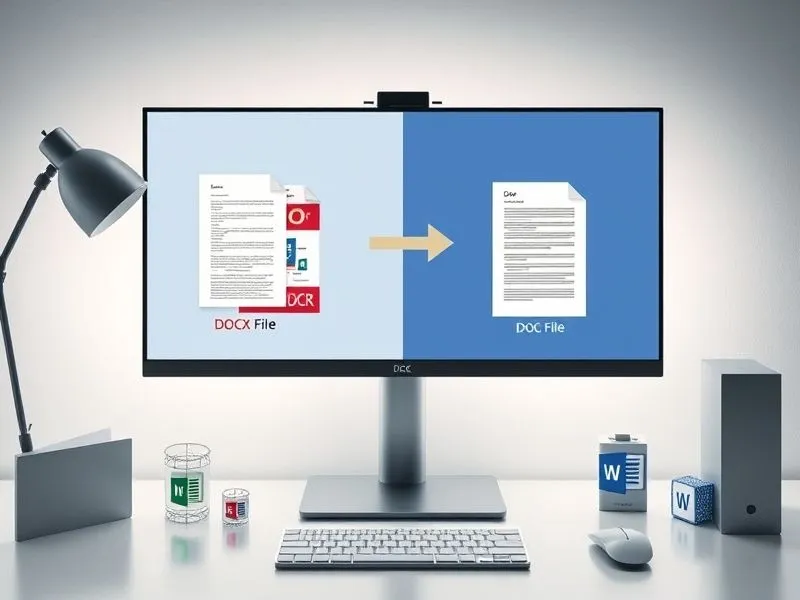
在办公自动化场景中,文档格式转换是高频需求。Microsoft Word的.docx(Office Open XML格式)与.doc(二进制格式)的互转常涉及兼容性处理,例如向旧版Office用户分发文件或适配特定系统要求。传统手动转换方式在处理批量文件时效率低下,而Python的pywin32库通过调用Windows COM接口,可直接控制Word应用程序实现自动化转换。本文ZHANID工具网将详细解析如何使用pywin32库编写批量转换脚本,涵盖环境配置、核心代码实现、异常处理及性能优化等关键环节。
一、技术原理与工具选择
1.1 COM自动化与pywin32
Microsoft Office应用程序(如Word)提供COM(Component Object Model)接口,允许外部程序通过标准化协议调用其功能。pywin32库封装了Windows API,使Python能够创建COM对象并操作Office应用程序。通过该库,可实现以下操作:
启动/关闭Word进程
打开/保存文档
修改文档内容与格式
批量处理文件
1.2 格式转换机制
Word的SaveAs方法支持多种文件格式,通过指定FileFormat参数实现格式转换。例如:
0:.doc格式(Word 97-2003)12:.docx格式(Word 2007+)16:.docm格式(启用宏的Word 2007+)
关键点:pywin32直接调用Word引擎进行转换,能完整保留原始文档的文本、表格、图片及样式,避免第三方库解析不完整的问题。
二、环境配置与依赖安装
2.1 系统要求
Windows操作系统(需安装Microsoft Word)
Python 3.x(推荐3.7+)
Microsoft Word 2007或更高版本(支持
.docx格式)
2.2 库安装
使用pip安装pywin32:
pip install pywin32
验证安装:
import win32com.client
print("pywin32安装成功")
若无报错,则环境配置完成。
三、核心代码实现
3.1 单文件转换基础模板
以下代码演示如何将单个.docx文件转换为.doc:
import win32com.client as win32

def convert_single_file(docx_path, doc_path):
  # 启动Word应用程序(后台运行)
  word = win32.gencache.EnsureDispatch('Word.Application')
  word.Visible = False # 设置为True可调试时观察界面

  try:
    # 打开源文件
    doc = word.Documents.Open(docx_path)
    # 另存为.doc格式
    doc.SaveAs(doc_path, FileFormat=0)
    print(f"转换成功: {docx_path} -> {doc_path}")
  except Exception as e:
    print(f"转换失败: {docx_path}, 错误: {str(e)}")
  finally:
    # 关闭文档与Word进程
    doc.Close()
    word.Quit()

# 示例调用
convert_single_file(r'C:\test\input.docx', r'C:\test\output.doc')代码解析:
EnsureDispatch创建COM对象,Visible=False隐藏Word窗口。Documents.Open加载源文件,SaveAs指定目标路径与格式。try-except-finally确保资源释放,避免进程残留。
3.2 批量转换实现
结合os模块遍历目录,实现批量处理:
import os
import win32com.client as win32

def batch_convert(source_dir, dest_dir):
  # 创建目标目录(若不存在)
  if not os.path.exists(dest_dir):
    os.makedirs(dest_dir)

  # 获取所有.docx文件
  docx_files = [f for f in os.listdir(source_dir) if f.lower().endswith('.docx')]

  word = win32.gencache.EnsureDispatch('Word.Application')
  word.Visible = False

  try:
    for docx_file in docx_files:
      src_path = os.path.join(source_dir, docx_file)
      dest_name = os.path.splitext(docx_file)[0] + '.doc'
      dest_path = os.path.join(dest_dir, dest_name)

      try:
        doc = word.Documents.Open(src_path)
        doc.SaveAs(dest_path, FileFormat=0)
        print(f"转换成功: {src_path} -> {dest_path}")
      except Exception as e:
        print(f"转换失败: {src_path}, 错误: {str(e)}")
      finally:
        doc.Close()
  finally:
    word.Quit()

# 示例调用
batch_convert(r'C:\test\source', r'C:\test\dest')关键优化:
目录遍历:使用
os.listdir筛选.docx文件,支持子目录需递归处理。路径处理:
os.path.join确保跨平台路径兼容性。资源管理:外层
try-finally保证Word进程退出,内层处理单个文件异常。
四、异常处理与健壮性增强
4.1 常见错误类型
文件占用:文档被其他程序打开时,
Open方法抛出COMException。权限不足:无写入目标目录权限时,
SaveAs失败。格式不支持:非Word文件(如
.txt)误传为.docx。
4.2 增强版代码
import os
import win32com.client as win32
from win32com.client import constants as wc

def safe_batch_convert(source_dir, dest_dir):
  if not os.path.exists(dest_dir):
    os.makedirs(dest_dir)

  docx_files = [f for f in os.listdir(source_dir) if f.lower().endswith('.docx')]
  word = None

  try:
    word = win32.gencache.EnsureDispatch('Word.Application')
    word.Visible = False
    word.DisplayAlerts = wc.wdAlertsNone # 禁用警告弹窗

    for docx_file in docx_files:
      src_path = os.path.join(source_dir, docx_file)
      dest_name = os.path.splitext(docx_file)[0] + '.doc'
      dest_path = os.path.join(dest_dir, dest_name)

      try:
        doc = word.Documents.Open(src_path, ReadOnly=1) # 以只读方式打开
        doc.SaveAs(dest_path, FileFormat=0)
        print(f"转换成功: {src_path} -> {dest_path}")
      except Exception as e:
        print(f"转换失败: {src_path}, 错误: {str(e)}")
      finally:
        if 'doc' in locals():
          doc.Close(wc.wdDoNotSaveChanges) # 强制关闭,不保存更改
  except Exception as e:
    print(f"Word应用程序初始化失败: {str(e)}")
  finally:
    if word is not None:
      word.Quit()

# 示例调用
safe_batch_convert(r'C:\test\source', r'C:\test\dest')改进点:
只读模式:
ReadOnly=1避免文件占用冲突。警告抑制:
DisplayAlerts=wc.wdAlertsNone防止弹窗阻塞脚本。强制关闭:
wdDoNotSaveChanges确保文档对象释放。
五、性能优化与扩展功能
5.1 多线程加速
对于大量文件,可使用concurrent.futures实现并行处理:
import os
import win32com.client as win32
from concurrent.futures import ThreadPoolExecutor

def convert_in_thread(args):
  src_path, dest_path = args
  word = win32.gencache.EnsureDispatch('Word.Application')
  word.Visible = False
  try:
    doc = word.Documents.Open(src_path)
    doc.SaveAs(dest_path, FileFormat=0)
  finally:
    doc.Close()
    word.Quit()

def threaded_batch_convert(source_dir, dest_dir, max_workers=4):
  if not os.path.exists(dest_dir):
    os.makedirs(dest_dir)

  docx_files = [(os.path.join(source_dir, f),
         os.path.join(dest_dir, os.path.splitext(f)[0] + '.doc'))
         for f in os.listdir(source_dir) if f.lower().endswith('.docx')]

  with ThreadPoolExecutor(max_workers=max_workers) as executor:
    executor.map(convert_in_thread, docx_files)

# 示例调用
threaded_batch_convert(r'C:\test\source', r'C:\test\dest')注意事项:
COM对象非线程安全,每个线程需独立创建
Word.Application实例。线程数不宜过多(通常≤CPU核心数),避免系统资源耗尽。
5.2 日志记录与进度显示
添加logging模块记录转换详情:
import logging
import os
import win32com.client as win32

logging.basicConfig(
  filename='convert.log',
  level=logging.INFO,
  format='%(asctime)s - %(levelname)s - %(message)s'
)

def log_batch_convert(source_dir, dest_dir):
  if not os.path.exists(dest_dir):
    os.makedirs(dest_dir)

  docx_files = [f for f in os.listdir(source_dir) if f.lower().endswith('.docx')]
  total = len(docx_files)
  word = win32.gencache.EnsureDispatch('Word.Application')
  word.Visible = False

  try:
    for i, docx_file in enumerate(docx_files, 1):
      src_path = os.path.join(source_dir, docx_file)
      dest_name = os.path.splitext(docx_file)[0] + '.doc'
      dest_path = os.path.join(dest_dir, dest_name)

      try:
        doc = word.Documents.Open(src_path)
        doc.SaveAs(dest_path, FileFormat=0)
        logging.info(f"成功: {src_path} -> {dest_path}")
        print(f"\r进度: {i}/{total} ({i/total*100:.1f}%)", end='')
      except Exception as e:
        logging.error(f"失败: {src_path}, 错误: {str(e)}")
      finally:
        doc.Close()
  finally:
    word.Quit()

# 示例调用
log_batch_convert(r'C:\test\source', r'C:\test\dest')
六、常见问题与解决方案
6.1 问题1:脚本运行后Word进程未退出
原因:COM对象未正确释放或异常未捕获。 解决:
确保每个
Document对象调用Close()。使用
try-finally保证Word.Application.Quit()执行。
6.2 问题2:转换后文档格式错乱
原因:原始文档包含Word 2007+专属功能(如SmartArt、图表)。 解决:
转换前检查文档兼容性(Word菜单:文件→信息→检查问题→检查兼容性)。
使用
Document.Convert()方法显式转换格式:doc = word.Documents.Open(src_path) doc.Convert(FileFormat=0) # 转换为.doc格式 doc.SaveAs(dest_path, FileFormat=0)
6.3 问题3:脚本运行缓慢
优化建议:
减少
Word.Application实例创建次数(单线程下复用同一实例)。禁用屏幕更新加速处理:
word = win32.gencache.EnsureDispatch('Word.Application')
word.ScreenUpdating = False # 禁用屏幕刷新
# ...执行转换...
word.ScreenUpdating = True # 恢复
七、总结
本文通过分步解析与代码示例,展示了如何使用pywin32库实现高效、稳定的.docx到.doc批量转换。关键点包括:
COM自动化原理:理解
pywin32如何调用Word接口。资源管理:确保文档与应用程序对象正确释放。
异常处理:覆盖文件占用、权限不足等常见错误场景。
性能优化:通过多线程与日志记录提升脚本实用性。
完整示例代码(综合所有优化):
import os
import logging
import win32com.client as win32
from win32com.client import constants as wc

def setup_logging():
  logging.basicConfig(
    filename='convert.log',
    level=logging.INFO,
    format='%(asctime)s - %(levelname)s - %(message)s'
  )

def convert_file(word_app, src_path, dest_path):
  try:
    doc = word_app.Documents.Open(src_path, ReadOnly=1)
    doc.SaveAs(dest_path, FileFormat=0)
    logging.info(f"成功: {src_path} -> {dest_path}")
    return True
  except Exception as e:
    logging.error(f"失败: {src_path}, 错误: {str(e)}")
    return False
  finally:
    if 'doc' in locals():
      doc.Close(wc.wdDoNotSaveChanges)

def batch_convert(source_dir, dest_dir):
  setup_logging()
  if not os.path.exists(dest_dir):
    os.makedirs(dest_dir)

  docx_files = [f for f in os.listdir(source_dir) if f.lower().endswith('.docx')]
  total = len(docx_files)
  word = None

  try:
    word = win32.gencache.EnsureDispatch('Word.Application')
    word.Visible = False
    word.DisplayAlerts = wc.wdAlertsNone
    word.ScreenUpdating = False

    for i, docx_file in enumerate(docx_files, 1):
      src_path = os.path.join(source_dir, docx_file)
      dest_name = os.path.splitext(docx_file)[0] + '.doc'
      dest_path = os.path.join(dest_dir, dest_name)

      convert_file(word, src_path, dest_path)
      print(f"\r进度: {i}/{total} ({i/total*100:.1f}%)", end='')

  finally:
    if word is not None:
      word.ScreenUpdating = True
      word.Quit()

if __name__ == '__main__':
  batch_convert(r'C:\test\source', r'C:\test\dest')
通过本文的指导,读者可快速掌握pywin32在文档自动化处理中的应用,并根据实际需求扩展功能(如支持子目录递归、添加进度条GUI等)。
本文由@战地网 原创发布。
该文章观点仅代表作者本人,不代表本站立场。本站不承担相关法律责任。
如若转载,请注明出处:https://www.zhanid.com/biancheng/5459.html