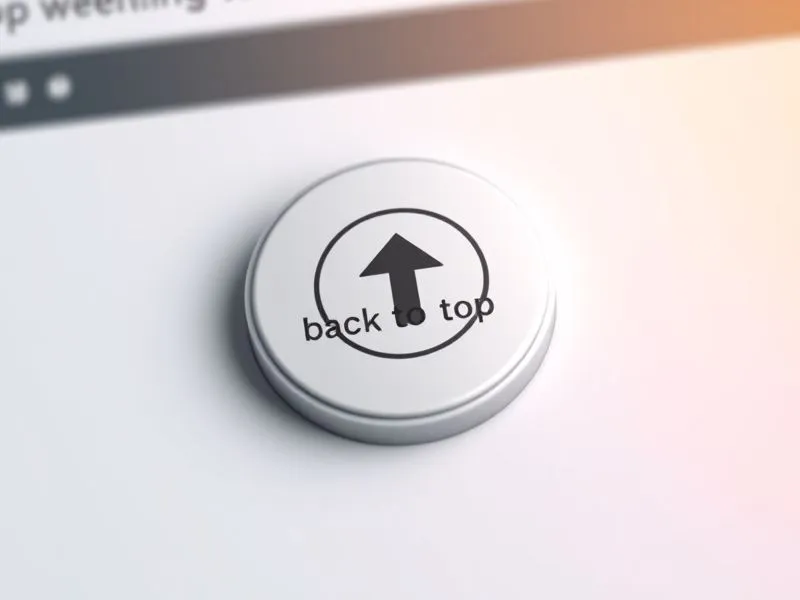
在网页开发中,"返回顶部"功能是提升用户体验的重要元素,尤其当页面内容较长时,用户可通过该功能快速回到页面顶部。本文ZHANID工具网将详细介绍如何使用JavaScript实现一个带进度环效果的返回顶部按钮,涵盖HTML结构、CSS样式、JavaScript逻辑以及动画效果的完整实现。
一、功能需求分析
1.1 核心功能
滚动检测:当页面滚动超过一定阈值(如300px)时显示返回顶部按钮
平滑滚动:点击按钮时以动画形式返回顶部
进度环效果:按钮外围显示当前滚动位置的进度指示
响应式设计:适配不同屏幕尺寸
1.2 技术要点
使用
window.scrollY检测垂直滚动位置通过
window.requestAnimationFrame实现平滑滚动动画利用Canvas或SVG绘制动态进度环
事件监听处理滚动和点击行为
二、HTML结构实现
2.1 基础结构代码
<!DOCTYPE html>
<html lang="zh-CN">
<head>
  <meta charset="UTF-8">
  <meta name="viewport" content="width=device-width, initial-scale=1.0">
  <title>返回顶部按钮示例</title>
  <link rel="stylesheet" href="styles.css">
</head>
<body>
  <!-- 页面内容 -->
  <div class="content">
    <!-- 这里放置页面主要内容 -->
    <div style="height: 2000px; padding: 20px;">
      <h1>页面内容区域</h1>
      <p>向下滚动查看返回顶部按钮效果...</p>
    </div>
  </div>

  <!-- 返回顶部按钮 -->
  <div class="back-to-top" id="backToTop">
    <svg class="progress-ring" width="50" height="50">
      <circle class="progress-ring__circle"
          stroke="#4285f4"
          stroke-width="4"
          fill="transparent"
          r="20"
          cx="25"
          cy="25"/>
    </svg>
    <span class="arrow">↑</span>
  </div>

  <script src="script.js"></script>
</body>
</html>
2.2 结构说明
按钮容器:使用
div.back-to-top作为主容器进度环:采用SVG绘制圆形进度条,包含一个
circle元素箭头图标:使用简单的Unicode箭头字符作为按钮图标
三、CSS样式设计
3.1 基础样式代码
/* styles.css */
body {
  margin: 0;
  font-family: Arial, sans-serif;
}

.back-to-top {
  position: fixed;
  right: 30px;
  bottom: 30px;
  width: 50px;
  height: 50px;
  border-radius: 50%;
  background-color: #fff;
  box-shadow: 0 2px 10px rgba(0, 0, 0, 0.2);
  cursor: pointer;
  display: flex;
  justify-content: center;
  align-items: center;
  opacity: 0;
  visibility: hidden;
  transition: opacity 0.3s, visibility 0.3s;
  z-index: 1000;
}

.back-to-top.visible {
  opacity: 1;
  visibility: visible;
}

.arrow {
  font-size: 24px;
  font-weight: bold;
  color: #333;
  transition: color 0.3s;
}

.back-to-top:hover .arrow {
  color: #4285f4;
}

/* 进度环样式 */
.progress-ring {
  position: absolute;
  top: 0;
  left: 0;
  transform: rotate(-90deg); /* 使进度从顶部开始 */
}

.progress-ring__circle {
  transition: stroke-dashoffset 0.3s;
  stroke-dasharray: 125.66; /* 2πr ≈ 125.66 (r=20) */
  stroke-dashoffset: 125.66;
}
3.2 样式要点解析
定位与显示控制:使用
fixed定位固定在右下角,通过opacity和visibility控制显示/隐藏过渡效果:添加0.3秒的过渡动画使显示/隐藏更平滑
进度环计算:
圆的周长公式:C = 2πr ≈ 125.66(半径r=20)
stroke-dasharray设置为周长值stroke-dashoffset初始值为周长,表示0%进度视觉增强:添加阴影效果和悬停颜色变化
四、JavaScript核心逻辑
4.1 完整实现代码
// script.js
document.addEventListener('DOMContentLoaded', function() {
  // 获取DOM元素
  const backToTopBtn = document.getElementById('backToTop');
  const progressCircle = document.querySelector('.progress-ring__circle');

  // 初始化变量
  let isScrolling = false;
  const scrollThreshold = 300; // 显示按钮的滚动阈值

  // 监听滚动事件
  window.addEventListener('scroll', function() {
    // 防抖处理
    if (!isScrolling) {
      window.requestAnimationFrame(updateButtonState);
      isScrolling = true;
    }
  });

  // 更新按钮状态和进度环
  function updateButtonState() {
    const scrollPosition = window.scrollY;
    const documentHeight = document.documentElement.scrollHeight;
    const windowHeight = window.innerHeight;
    const scrollPercent = scrollPosition / (documentHeight - windowHeight);

    // 更新按钮显示状态
    if (scrollPosition > scrollThreshold) {
      backToTopBtn.classList.add('visible');
    } else {
      backToTopBtn.classList.remove('visible');
    }

    // 更新进度环
    updateProgressRing(scrollPercent);

    isScrolling = false;
  }

  // 更新进度环
  function updateProgressRing(percent) {
    const offset = 125.66 - (percent * 125.66);
    progressCircle.style.strokeDashoffset = offset;
  }

  // 点击返回顶部
  backToTopBtn.addEventListener('click', function(e) {
    e.preventDefault();
    scrollToTop();
  });

  // 平滑滚动到顶部
  function scrollToTop() {
    const startPosition = window.scrollY;
    const duration = 500; // 动画持续时间(ms)
    let startTime =;

    function animation(currentTime) {
      if (startTime ===) startTime = currentTime;
      const timeElapsed = currentTime - startTime;
      const run = easeInOutQuad(timeElapsed, startPosition, -startPosition, duration);
      window.scrollTo(0, run);
      if (timeElapsed < duration) {
        window.requestAnimationFrame(animation);
      }
    }

    // 缓动函数 - 二次缓入缓出
    function easeInOutQuad(t, b, c, d) {
      t /= d / 2;
      if (t < 1) return c / 2 * t * t + b;
      t--;
      return -c / 2 * (t * (t - 2) - 1) + b;
    }

    window.requestAnimationFrame(animation);
  }
});
4.2 核心功能解析
4.2.1 滚动检测与按钮显示
阈值控制:当滚动超过300px时显示按钮
防抖处理:使用
requestAnimationFrame优化滚动事件处理,避免性能问题百分比计算:根据当前滚动位置计算页面滚动百分比
4.2.2 进度环更新
数学计算:
进度百分比 = 当前滚动位置 / (文档总高度 - 视口高度)
stroke-dashoffset= 圆周长 - (百分比 × 圆周长)SVG旋转:通过
transform: rotate(-90deg)使进度从顶部开始计算
4.2.3 平滑滚动实现
动画函数:使用
requestAnimationFrame实现60fps的流畅动画缓动效果:采用
easeInOutQuad缓动函数使滚动开始和结束时速度较慢参数说明:
startPosition: 起始滚动位置duration: 动画总时长(500ms)easeInOutQuad: 二次缓入缓出函数,提供更自然的滚动体验
五、优化与扩展
5.1 性能优化
事件节流:对于频繁触发的滚动事件,可进一步优化为节流(throttle)而非防抖(debounce)
// 节流函数示例
function throttle(func, limit) {
  let inThrottle;
  return function() {
    const args = arguments;
    const context = this;
    if (!inThrottle) {
      func.apply(context, args);
      inThrottle = true;
      setTimeout(() => inThrottle = false, limit);
    }
  }
}

// 使用节流优化滚动事件
window.addEventListener('scroll', throttle(function() {
  window.requestAnimationFrame(updateButtonState);
}, 100));
5.2 移动端适配
响应式调整:在小屏幕设备上减小按钮尺寸
@media (max-width: 768px) {
  .back-to-top {
    right: 15px;
    bottom: 15px;
    width: 40px;
    height: 40px;
  }

  .arrow {
    font-size: 20px;
  }

  .progress-ring {
    width: 40px;
    height: 40px;
  }

  .progress-ring__circle {
    r: 15;
    cx: 20;
    cy: 20;
    stroke-dasharray: 94.2; /* 2π*15 ≈ 94.2 */
  }
}
5.3 自定义配置
参数化设计:将关键参数提取为可配置对象
const backToTopConfig = {
  threshold: 300,
  animationDuration: 500,
  circleColor: '#4285f4',
  circleWidth: 4,
  circleRadius: 20
};

// 使用配置参数初始化
function initBackToTop(config) {
  // 根据配置设置样式
  const circles = document.querySelectorAll('.progress-ring__circle');
  circles.forEach(circle => {
    circle.setAttribute('stroke', config.circleColor);
    circle.setAttribute('stroke-width', config.circleWidth);
    circle.setAttribute('r', config.circleRadius);

    const circumference = 2 * Math.PI * config.circleRadius;
    circle.setAttribute('stroke-dasharray', circumference);
    circle.style.strokeDashoffset = circumference;
  });

  // 更新updateProgressRing函数中的计算
  window.updateProgressRing = function(percent) {
    const circumference = 2 * Math.PI * config.circleRadius;
    const offset = circumference - (percent * circumference);
    progressCircle.style.strokeDashoffset = offset;
  };
}

// 初始化
initBackToTop(backToTopConfig);
六、常见问题解决方案
6.1 进度环不显示
可能原因:
SVG或circle元素未正确设置尺寸
stroke-dasharray值计算错误解决方案:
检查SVG的width/height属性
确认圆的半径(r)和圆心(cx,cy)位置正确
重新计算周长:C = 2πr,四舍五入保留两位小数
6.2 滚动动画不流畅
可能原因:
动画持续时间设置过长/过短
未使用requestAnimationFrame
缓动函数选择不当
解决方案:
调整duration参数(通常300-800ms体验较好)
确保使用
requestAnimationFrame进行动画尝试不同的缓动函数(linear, easeIn, easeOut等)
6.3 移动端兼容性问题
可能原因:
固定定位在部分移动浏览器中的表现异常
触摸事件未正确处理
解决方案:
添加
-webkit-transform: translateZ(0)提升固定定位性能同时监听触摸事件:
backToTopBtn.addEventListener('touchstart', function(e) {
  e.preventDefault();
  scrollToTop();
});
七、完整示例代码整合
7.1 HTML (index.html)
<!DOCTYPE html>
<html lang="zh-CN">
<head>
  <meta charset="UTF-8">
  <meta name="viewport" content="width=device-width, initial-scale=1.0">
  <title>返回顶部按钮示例</title>
  <style>
    body {
      margin: 0;
      font-family: Arial, sans-serif;
    }

    .content {
      padding: 20px;
    }

    .back-to-top {
      position: fixed;
      right: 30px;
      bottom: 30px;
      width: 50px;
      height: 50px;
      border-radius: 50%;
      background-color: #fff;
      box-shadow: 0 2px 10px rgba(0, 0, 0, 0.2);
      cursor: pointer;
      display: flex;
      justify-content: center;
      align-items: center;
      opacity: 0;
      visibility: hidden;
      transition: opacity 0.3s, visibility 0.3s;
      z-index: 1000;
      -webkit-transform: translateZ(0); /* 移动端优化 */
    }

    .back-to-top.visible {
      opacity: 1;
      visibility: visible;
    }

    .arrow {
      font-size: 24px;
      font-weight: bold;
      color: #333;
      transition: color 0.3s;
    }

    .back-to-top:hover .arrow {
      color: #4285f4;
    }

    .progress-ring {
      position: absolute;
      top: 0;
      left: 0;
      transform: rotate(-90deg);
    }

    .progress-ring__circle {
      transition: stroke-dashoffset 0.3s;
      stroke: #4285f4;
      stroke-width: 4;
      fill: transparent;
      r: 20;
      cx: 25;
      cy: 25;
    }

    @media (max-width: 768px) {
      .back-to-top {
        right: 15px;
        bottom: 15px;
        width: 40px;
        height: 40px;
      }

      .arrow {
        font-size: 20px;
      }

      .progress-ring {
        width: 40px;
        height: 40px;
      }

      .progress-ring__circle {
        r: 15;
        cx: 20;
        cy: 20;
      }
    }
  </style>
</head>
<body>
  <div class="content">
    <h1>返回顶部按钮演示</h1>
    <p>向下滚动页面,当滚动超过300像素时,右下角将显示返回顶部按钮。</p>
    <p>按钮外围的圆形进度条会显示当前滚动进度,点击按钮可平滑返回页面顶部。</p>
    <div style="height: 3000px; background: #f5f5f5; margin-top: 20px; padding: 20px;">
      <h2>页面内容区域</h2>
      <p>这里是模拟的长页面内容...</p>
      <!-- 更多内容 -->
    </div>
  </div>

  <div class="back-to-top" id="backToTop">
    <svg class="progress-ring" width="50" height="50">
      <circle class="progress-ring__circle"/>
    </svg>
    <span class="arrow">↑</span>
  </div>

  <script>
    document.addEventListener('DOMContentLoaded', function() {
      const backToTopBtn = document.getElementById('backToTop');
      const progressCircle = document.querySelector('.progress-ring__circle');
      const circleRadius = 20; // 与CSS中r属性一致
      const circumference = 2 * Math.PI * circleRadius;

      // 初始化进度环
      progressCircle.style.strokeDasharray = circumference;
      progressCircle.style.strokeDashoffset = circumference;

      let isScrolling = false;
      const scrollThreshold = 300;

      // 节流函数
      function throttle(func, limit) {
        let inThrottle;
        return function() {
          const args = arguments;
          const context = this;
          if (!inThrottle) {
            func.apply(context, args);
            inThrottle = true;
            setTimeout(() => inThrottle = false, limit);
          }
        }
      }

      // 更新按钮状态
      function updateButtonState() {
        const scrollPosition = window.scrollY;
        const documentHeight = document.documentElement.scrollHeight;
        const windowHeight = window.innerHeight;
        const scrollPercent = scrollPosition / (documentHeight - windowHeight);

        // 更新按钮显示
        if (scrollPosition > scrollThreshold) {
          backToTopBtn.classList.add('visible');
        } else {
          backToTopBtn.classList.remove('visible');
        }

        // 更新进度环
        const offset = circumference - (scrollPercent * circumference);
        progressCircle.style.strokeDashoffset = offset;
      }

      // 平滑滚动
      function scrollToTop() {
        const startPosition = window.scrollY;
        const duration = 500;
        let startTime =;

        function animation(currentTime) {
          if (startTime ===) startTime = currentTime;
          const timeElapsed = currentTime - startTime;
          const run = easeInOutQuad(timeElapsed, startPosition, -startPosition, duration);
          window.scrollTo(0, run);
          if (timeElapsed < duration) {
            window.requestAnimationFrame(animation);
          }
        }

        function easeInOutQuad(t, b, c, d) {
          t /= d / 2;
          if (t < 1) return c / 2 * t * t + b;
          t--;
          return -c / 2 * (t * (t - 2) - 1) + b;
        }

        window.requestAnimationFrame(animation);
      }

      // 事件监听
      window.addEventListener('scroll', throttle(function() {
        if (!isScrolling) {
          window.requestAnimationFrame(updateButtonState);
          isScrolling = true;
        }
      }, 100));

      backToTopBtn.addEventListener('click', function(e) {
        e.preventDefault();
        scrollToTop();
      });

      // 移动端触摸支持
      backToTopBtn.addEventListener('touchstart', function(e) {
        e.preventDefault();
        scrollToTop();
      });
    });
  </script>
</body>
</html>
八、总结
本文详细介绍了如何使用JavaScript实现一个功能完善的返回顶部按钮,包含以下关键技术点:
滚动检测与按钮显示控制:通过监听scroll事件并计算滚动位置实现
SVG进度环效果:利用stroke-dasharray和stroke-dashoffset属性绘制动态进度指示
平滑滚动动画:采用requestAnimationFrame结合缓动函数实现流畅的滚动效果
性能优化:使用节流函数和防抖技术优化滚动事件处理
响应式设计:通过媒体查询适配不同屏幕尺寸
该实现具有以下优点:
纯前端实现,无需任何第三方库
良好的视觉反馈(进度环+悬停效果)
平滑的动画体验
完善的移动端支持
易于定制和扩展
开发者可根据实际需求调整动画持续时间、进度环样式、显示阈值等参数,快速集成到现有项目中。
本文由@战地网 原创发布。
该文章观点仅代表作者本人,不代表本站立场。本站不承担相关法律责任。
如若转载,请注明出处:https://www.zhanid.com/biancheng/5492.html